
Free BIMI generator and checker. Build a valid BIMI DNS record from your logo (and optional VMC) so supporting inboxes can show your brand mark next to your mail — or check the BIMI record a domain already publishes. Everything in the generator runs in your browser. BIMI sits on top of authentication, so make sure your DMARC, SPF and DKIM are already in place first. Learn more from the BIMI Group.
This BIMI generator is a BIMI record generator that helps you create a BIMI record, with a built-in BIMI record checker to validate your BIMI setup.
Build a valid BIMI record for your logo (and optional VMC), or check the BIMI record a domain already publishes.
Free tool from ToolTrusted. Lookups query public DNS; generators run in your browser.
How to create a BIMI record
- Prepare your logo. BIMI requires a square SVG in the SVG Tiny Portable/Secure (SVG Tiny PS) profile, hosted over HTTPS.
- Add a VMC (recommended). A Verified Mark Certificate proves you own the trademark for the logo. Gmail and several other inboxes only display the logo when a valid VMC is present.
- Generate the record. Paste your logo URL (and VMC URL) into the generator above; it builds a
v=BIMI1; l=…; a=…record. - Publish it as a TXT record at
default._bimi.yourdomain.com. - Confirm your authentication. BIMI only works once DMARC is at enforcement — verify with a free Email Health Check.
BIMI record example
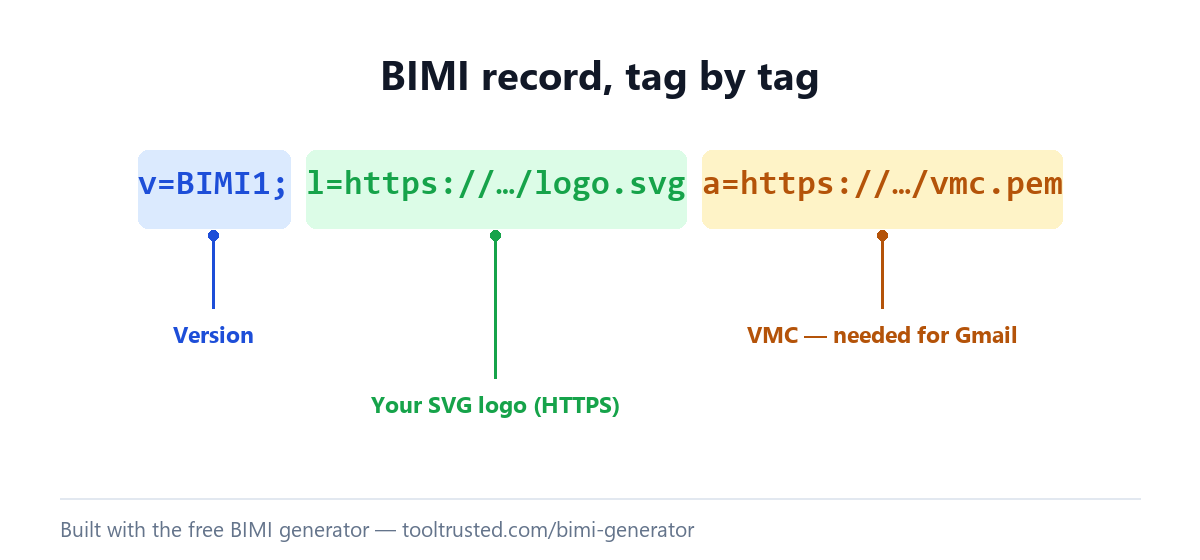
A BIMI record is a single TXT record at default._bimi.yourdomain.com. A typical record with a VMC looks like this:
v=BIMI1; l=https://example.com/logo.svg; a=https://example.com/vmc.pemThe l= tag is your logo URL and the a= tag is your VMC URL. The a= tag is optional in the syntax, but without a VMC most major inboxes (including Gmail) will not display the logo.
BIMI record checker: check a domain’s BIMI
Switch the tool above to Check a domain to use it as a BIMI record checker: it looks up default._bimi.<domain>, shows the published record, and flags whether the logo URL is HTTPS and an SVG and whether a VMC is present. Note we check format and presence only — we do not cryptographically validate the VMC certificate, nor fully verify SVG Tiny PS conformance.
What is a BIMI record?
BIMI (Brand Indicators for Message Identification) is a standard that lets your verified logo appear beside your messages in supporting inboxes. It is published as a DNS TXT record pointing to your logo (and optionally a VMC). BIMI is not an authentication method on its own — it is a reward for strong authentication: it only takes effect when your domain has DMARC at enforcement (p=quarantine or p=reject, with pct=100) and aligned SPF/DKIM. Set those up first with the DMARC generator.
Frequently asked questions
Is this BIMI generator free?
Yes — completely free with no sign-up. The generator runs entirely in your browser, so the URLs you enter are never sent to or stored on our servers.
Do I need a VMC for BIMI?
Technically the a= tag is optional, but in practice yes for most senders: Gmail and other major inboxes require a valid Verified Mark Certificate before they will display your logo. Without a VMC, many receivers ignore the record.
What are the BIMI logo requirements?
A square logo in SVG Tiny PS format, served over HTTPS, ideally with a solid background. Raster formats (PNG/JPG) are not accepted. This tool checks that your logo URL is HTTPS and an SVG; it does not fully validate the SVG profile itself.
Why isn’t my BIMI logo showing?
The most common reasons are DMARC not being at enforcement, a missing or invalid VMC, or a logo that isn’t valid SVG Tiny PS over HTTPS. Confirm your DMARC policy with a free Email Health Check, then re-check the BIMI record above.
Where does the BIMI record go?
Publish it as a TXT record at the host default._bimi.yourdomain.com. default is the standard selector; you only need a different selector if you scope logos per sub-brand.
Get to BIMI-ready
BIMI is the last step, not the first. Run a free Email Health Check to confirm SPF, DKIM and DMARC are aligned and at enforcement — the prerequisites for your logo to ever appear.