
Check whether a domain or sending IP is on a major email blacklist with this free blacklist checker. Enter a domain or IP and we query the blocklists live — never from a cache — and show you exactly what each list returns. Use it to check if your domain is blacklisted, confirm an IP’s reputation, or find out why your email is going to spam. If you find a listing, our blacklist recovery guidance walks you through getting delisted. To see blacklist status alongside your full email posture, run a free Email Health Check.
Use this email blacklist checker for an IP blacklist check and a domain blacklist check — including a live Spamhaus blacklist check — in one place.
Check whether an IP or domain is on a major email blacklist.
Free tool from ToolTrusted. Lookups query public DNS; generators run in your browser.
How to check if your domain is blacklisted
Enter your sending domain (for example yourdomain.com) in the checker above and run it. We query the domain against the blocklists live and show a clear listed / not-listed result for each. Domain-level listings usually point to a reputation or content problem with mail sent from that domain — a compromised account, a complaint spike, or a spammy campaign. If your domain is listed, head to blacklist recovery to fix the cause and request removal.
How to check if your IP is blacklisted
Enter the sending IP address of your mail server or relay. IP-level listings are common when you run your own server or share an IP with other senders, and they are one of the most frequent reasons mail is rejected outright. If you send through a hosted service (an ESP or SMTP provider), the sending IP is theirs — so a listing there is something they need to resolve, though you can still be affected by other senders on a shared IP.
Which blacklists we check
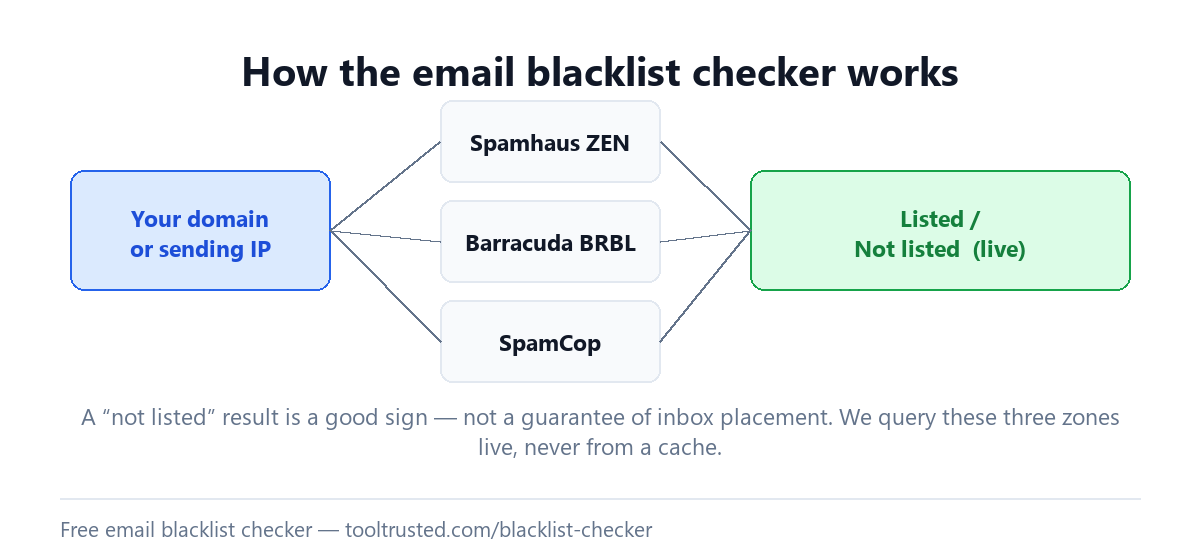
We query three of the blocklists that receiving mail servers actually consult:
- Spamhaus ZEN — the combined Spamhaus zone, the most widely used blocklist in email.
- Barracuda Reputation Block List (BRBL) — used across Barracuda’s security products.
- SpamCop — a report-driven list whose entries expire automatically over time.
A “not listed” result on these zones is a good sign, but it is not a guarantee of inbox placement — other receivers use lists we do not query, and deliverability also depends on authentication, content and sending behaviour. For the bigger picture, see the email blacklist guide.
What to do if you are listed
- Find the cause first. Delisting without fixing the underlying problem — a compromised account, a misconfigured relay, or a spam complaint spike — usually leads to a re-listing.
- Fix your authentication and hygiene. Make sure SPF, DKIM and DMARC are correct, and stop the source of the complaints.
- Request removal. Follow each list’s delisting process. SpamCop entries expire on their own once the activity stops; Spamhaus and Barracuda have removal forms.
- Follow the full workflow. Our blacklist recovery page lays out the realistic path back to the inbox.
Frequently asked questions
How do I check if my domain is blacklisted?
Enter your domain in the checker above and run it. We query Spamhaus ZEN, Barracuda and SpamCop live and show a listed / not-listed result for each. Check your sending IP too, since some lists target IPs rather than domains.
How do I check if my IP is on Spamhaus?
Enter the sending IP address in the checker. Our Spamhaus query uses the combined ZEN zone, so a listing on any of Spamhaus’s lists will show. If it is listed, fix the cause and use Spamhaus’s removal process — see blacklist recovery.
Is this email blacklist checker free?
Yes — it is completely free with no sign-up. Enter a domain or IP and we run the blocklist queries live, right in your browser session.
Why is my email going to spam or being blocked?
A blacklist listing is one common cause — if your domain or IP is listed, receivers may reject or spam-folder your mail. But it is not the only cause: weak or misaligned SPF, DKIM and DMARC, poor content, and low sending reputation also matter. Run the checker, then a full Email Health Check to see the whole picture.
Does “not listed” mean my email will reach the inbox?
No. A clean result on Spamhaus ZEN, Barracuda and SpamCop is reassuring, but inbox placement also depends on SPF, DKIM and DMARC, your content, and your sending reputation with each mailbox provider. Blacklist status is one signal, not the whole story.
Should I check my domain or my IP address?
Check both. Some blocklists target sending IP addresses and others target domains, so the complete picture comes from checking each. If you use a shared sending service, your reputation can also be affected by other senders on the same IP.
How do I get removed from a blacklist?
Fix the cause first, then follow each list’s removal process. SpamCop listings expire automatically once the reported activity stops. See our blacklist recovery page for the step-by-step path.
Check your whole email setup
The blacklist checker above shows your current listing status, but blacklist status is only one part of your email posture. Run a free Email Health Check to score reputation alongside SPF, DKIM, DMARC and MTA-STS out of 100 — with the exact fixes ranked.