
Blacklist recovery is the process of getting your domain or sending IP removed from an email blocklist — and, just as importantly, fixing the cause so it does not happen again. This page lays out the realistic path back to the inbox: confirm the listing, fix the root cause, request delisting, and monitor so you catch the next problem early. Below you’ll also find the specific removal path for each list we track. Start by confirming where you stand with the free blacklist checker, or run a full Email Health Check to see reputation alongside your authentication.
This guide covers email blacklist removal end to end — how to get delisted, from Spamhaus delisting to getting off an email blacklist for good.
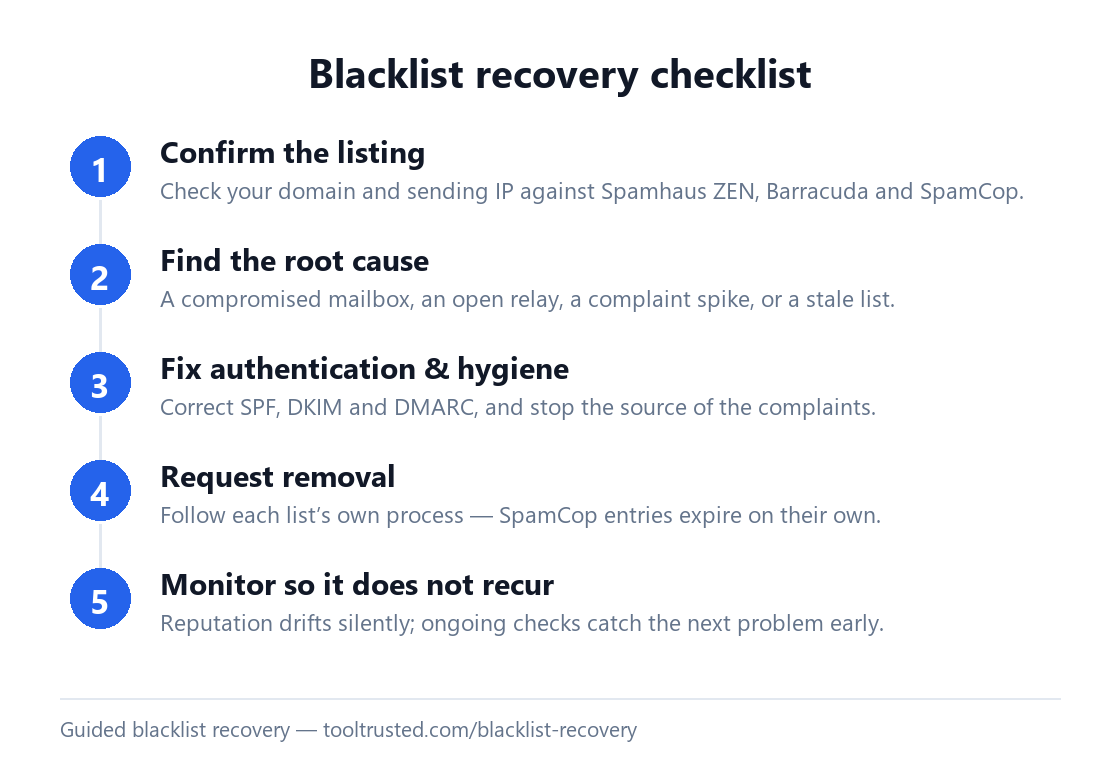
The blacklist recovery process, step by step
- Confirm the listing. Use the blacklist checker to see which lists show your domain or IP. We check Spamhaus ZEN, Barracuda and SpamCop — the zones receiving servers most commonly consult.
- Find the root cause. Common triggers are a compromised mailbox, an open or misconfigured relay, a sudden spam-complaint spike, or a purchased/stale list. Delisting before you fix the cause almost always leads to a re-listing.
- Fix authentication and hygiene. Confirm SPF, DKIM and DMARC are correct with the free email tools, shut down the source of complaints, and clean your list.
- Request removal. Follow each list’s own delisting process (see below). SpamCop entries expire automatically once the reported activity stops; Spamhaus and Barracuda provide removal request forms.
- Monitor so it does not recur. Reputation can drift silently. Ongoing monitoring re-checks your posture and tells you the moment something changes.
How to get delisted from Spamhaus
Spamhaus is the most consequential listing to resolve. First, remove the cause — secure any compromised account, correct authentication, and stop the sending pattern that triggered it. Then use the Spamhaus removal process: look up the specific IP or domain at Spamhaus, which identifies the exact zone and links to the removal path for it. Spamhaus will not remove a listing while the abusive activity is still visible, so the fix must come first. Once removed, keep monitoring — a repeat listing is harder to clear.
Barracuda blacklist removal: how to request it
Barracuda blacklist removal starts with the Barracuda Reputation Block List (BRBL) removal request form. Before you submit it, fix the underlying issue and confirm your SPF, DKIM and DMARC are correct, because Barracuda evaluates current sending behaviour. Submit the removal request for the listed IP or domain and allow time for it to be processed. As with every list, a clean request only sticks if the cause is genuinely resolved.
SpamCop delisting: how it works
SpamCop delisting is usually automatic: it is report-driven and its listings expire on their own — typically within about 24 hours once the reported activity stops. So the most effective SpamCop delisting is simply to stop the source of the complaints: pause the campaign or sender responsible, fix the cause, and the listing ages out. There is usually no form to submit; the key is ensuring no further spam reports are generated.
How to remove IP from blacklist listings
To remove IP from blacklist listings specifically (as opposed to a domain listing), first confirm which list holds the IP with the blacklist checker, then stop the sending behaviour that caused it. Follow that list’s path: the Spamhaus lookup and removal for a Spamhaus listing, Barracuda blacklist removal for a BRBL listing, or simply waiting out the automatic expiry for SpamCop. If the IP belongs to a hosted sending service (an ESP or SMTP provider), the IP is theirs — so they must request the removal on your behalf.
Fix the cause, not just the symptom
A blocklist entry is a symptom. The lists that matter — Spamhaus, Barracuda, SpamCop — respond to sending behaviour, so the durable fix is to correct what triggered the listing. That usually means locking down a compromised account, correcting authentication, and removing the addresses generating complaints. For the full background on how the major lists work and how removal differs on each, see the email blacklist guide. Note that no reputable service can force a removal on your behalf — recovery is guidance plus the list’s own process, never automated delisting.
Guided recovery inside ToolTrusted
If a domain matters to you, ToolTrusted turns recovery into a tracked workflow. Paid plans include a step-by-step delisting action plan and pre-filled removal request templates for the blocklists we monitor, plus continuous monitoring that alerts you the moment a listing or authentication change appears — so you start recovery on day one, not after the damage is done. Read the announcement: Guided Blacklist Recovery + Email Monitoring.
Frequently asked questions
How do I get off the Spamhaus blacklist?
Fix the cause first — secure any compromised account and correct your authentication — then use Spamhaus’s own lookup and removal process for the listed IP or domain. Spamhaus will not delist while the abusive activity is still visible, so the fix must come before the request.
How do I remove my IP from a blacklist?
Identify which list holds the IP with the blacklist checker, stop the sending behaviour that caused it, then follow that list’s removal path — a form for Spamhaus or Barracuda, or simply waiting out the automatic expiry for SpamCop. If the IP belongs to a hosted sending service, they must request removal.
How long does blacklist recovery take?
It varies by list. SpamCop entries expire on their own within days once the activity stops. Spamhaus and Barracuda removals are usually processed within a day or two of a valid request — but only if the underlying cause is fixed, otherwise you will be re-listed.
Can I get delisted automatically?
No. Each blocklist controls its own removal process, and no third party can force a delisting. Recovery is a combination of fixing the cause and following each list’s request process. ToolTrusted gives you the action plan and templates; the request still goes to the list.
Why did I get blacklisted?
The most common causes are a compromised account sending spam, a misconfigured or open mail relay, a spike in spam complaints, or sending to a purchased or stale list. Identifying which applies to you is the first real step of recovery.
How do I know if I am even blacklisted?
Run the free blacklist checker on your domain and sending IP. It queries Spamhaus ZEN, Barracuda and SpamCop live and shows you exactly what each returns.
Start your recovery
Confirm your status, then fix the cause. Run a free Email Health Check to see reputation alongside SPF, DKIM, DMARC and MTA-STS — with the exact fixes ranked.