
Free SPF flattener: enter your domain (or paste an SPF record) and it resolves every include:, redirect=, a and mx mechanism, counts your current DNS lookups against the RFC 7208 10-lookup limit, and builds a flattened record made of plain ip4:/ip6: entries. Use it to fix an SPF permerror caused by too many lookups when you send through several services (Google Workspace, Klaviyo, Shopify, an ESP). New to SPF? Start with the SPF generator or the SPF record guide.
SPF flattening fixes the “SPF too many DNS lookups” error — use the flattener to fix an SPF permerror and stay under the SPF 10-lookup limit.
Resolve every include and count your SPF DNS lookups against the 10-lookup limit, then build a flattened record.
Free tool from ToolTrusted. Lookups query public DNS; generators run in your browser.
How to reduce SPF DNS lookups
- Check your current count. Enter your domain above. The flattener reads your published SPF record and shows roughly how many DNS lookups it needs.
- Flatten the includes. It follows each
include:/redirect=and eacha/mxto their underlying IP addresses and rewrites them asip4:/ip6:mechanisms — which cost zero lookups. - Publish the flattened record as a single TXT record at your domain root, replacing the old SPF record. Keep exactly one SPF record per domain.
- Re-check. Run the SPF lookup to confirm the new record resolves and is back under the limit.
Why "too many DNS lookups" causes an SPF permerror
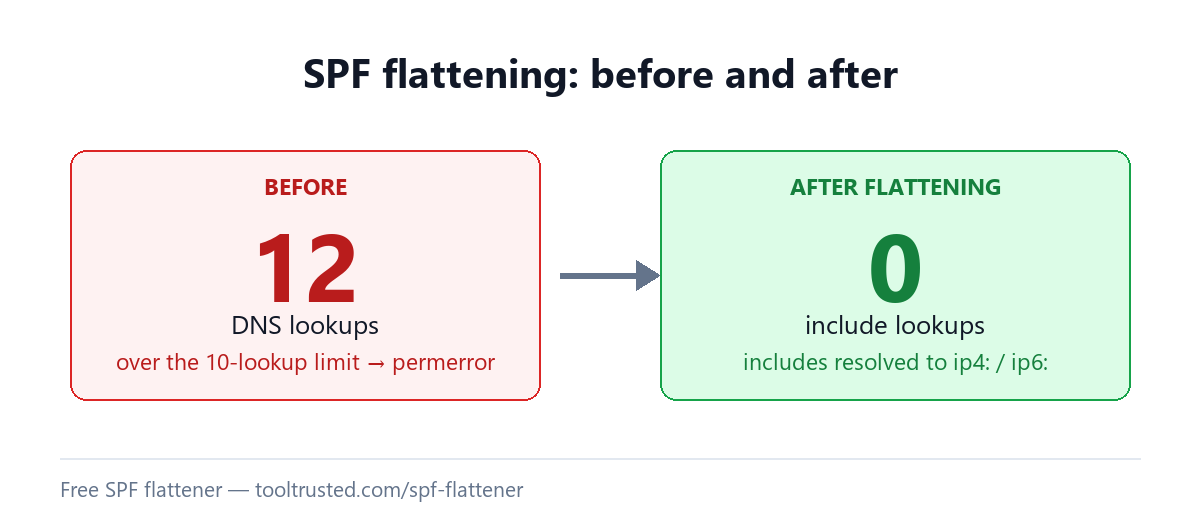
SPF is limited to 10 DNS lookups when a receiver evaluates your record. Every include:, a, mx, redirect and exists mechanism counts — and provider includes often expand into several lookups of their own, so a handful of senders can quietly blow past 10. When that happens SPF returns a permerror, and receivers may treat your mail as unauthenticated. Flattening removes the include lookups by publishing the resolved IPs directly. The limit is defined in RFC 7208 §4.6.4.
What is SPF record flattening?
SPF record flattening replaces the include: and a/mx mechanisms in your SPF record with the actual IP addresses they currently resolve to. Because ip4:/ip6: mechanisms require no DNS lookup, a flattened record can authorize the same senders while staying well under the 10-lookup limit. This tool preserves each provider’s published IP ranges exactly and de-duplicates them — it never invents broader ranges, which would authorize addresses your providers do not actually use.
When to flatten — and the staleness trade-off
Flattening is a snapshot, not a permanent fix. When a provider changes the IP addresses it sends from — which large senders do routinely — your flattened record still lists the old IPs, and mail from the new ones silently fails SPF. So flatten only when you genuinely can’t get under 10 lookups by removing unused includes, and treat it as something you re-check. The safest pattern is to flatten and monitor the domain so you catch a provider’s IP change before it costs you deliverability. Mechanisms that can’t be reduced to fixed IPs (ptr, exists, macros, dual-CIDR a/24) are kept verbatim so your record stays correct.
Frequently asked questions
What is an SPF flattener?
An SPF flattener resolves the includes in your SPF record down to their underlying IP addresses and rebuilds the record from ip4:/ip6: entries, so it authorizes the same senders using far fewer (often zero) DNS lookups — the fix for an SPF permerror caused by exceeding the 10-lookup limit.
How do I fix "too many DNS lookups"?
First remove include: statements for services you no longer use. If you are still over 10, flatten the remaining includes into ip4:/ip6: mechanisms with the tool above and publish the result as your single SPF TXT record.
Does a flattened SPF record break when providers change IPs?
It can. A flattened record freezes the IPs a provider uses today; if they rotate to new IPs, mail from those new addresses fails SPF until you re-flatten. Re-check periodically, or monitor the domain so a change is caught early.
Is SPF flattening safe?
It is safe when done carefully. This flattener keeps each provider’s published IP ranges verbatim and never widens them, so it won’t authorize addresses your senders don’t use. The one real risk is staleness — an unmaintained flattened record drifts out of date as providers change their infrastructure.
How many DNS lookups does SPF allow?
Ten. RFC 7208 caps SPF evaluation at 10 DNS-querying mechanisms; exceeding it returns a permerror. ip4: and ip6: mechanisms do not count toward the limit, which is why flattening works.
Check your whole email setup
A valid SPF record is one part of your email posture. Run a free Email Health Check to score SPF, DKIM, DMARC, MTA-STS and blacklists together out of 100 — with the exact fixes ranked.